The complete management platform for therapy and rehabilitation centers, with a mobile app for patients, families and therapists.
An integrated platform that combines a feature-rich web back-office and a dedicated mobile app to manage patients, therapists, treatment plans, scheduling, attendance and documents. Built for rehabilitation centers, clinics and multi-district organizations, with encrypted health data, granular roles and automated workflows.
Request a demo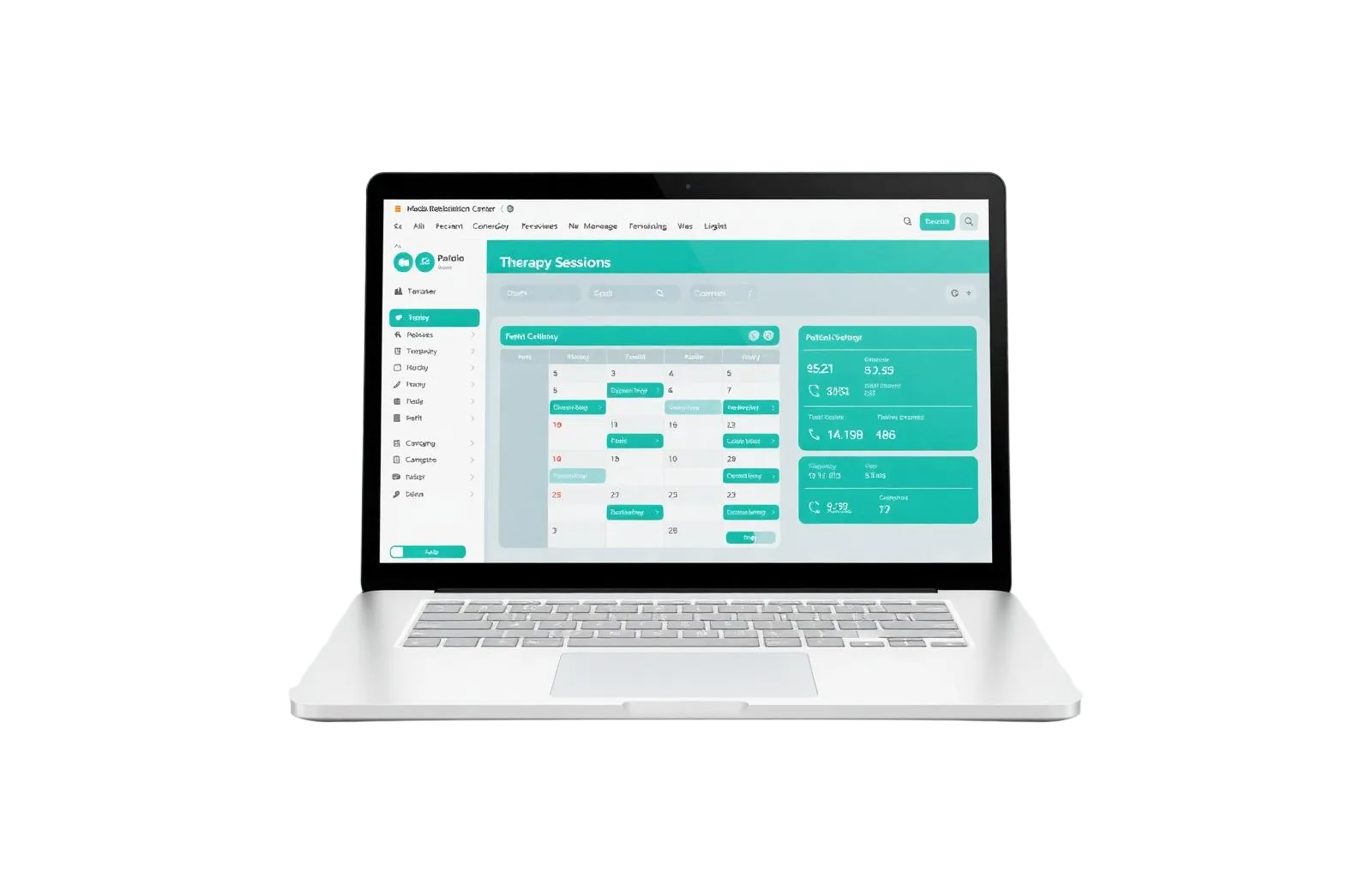

Software designed for those who put the patient first, every day.
| One platform, two experiences
The web back-office for those who run the center, the mobile app for those who live the care every day: patients, families and therapists.

The Web Back-office
The web app is the operational core of the center. Managers, coordinators and front desk handle everything from here: patients, therapists, plans, scheduling, documents, communications and statistics.

The Mobile App
Two experiences in a single download: one tailored for patients and family members, the other for therapists. Single login, multi-patient management for families and real-time push notifications.
| The Dashboard: everything at a glance
Right after login, the dashboard sums up the activity of the center with essential KPIs and trend charts, always up to date.
| What the web back-office does
Patient management
Full demographics, automatic tax code generation, family multi-patient accounts, photo, district and encrypted contacts.
Therapist management
Profiles, specializations, district assignment, mobile app credentials and absence handling.
Treatment plans
Define therapies, frequency, duration and assigned therapist. Recurring appointments are generated automatically based on the configured patterns.
Calendar & appointments
Multi-therapist view with color-coded treatment types, district filters, recurring pattern management and one-off changes.
Daily attendance
Quick start-of-day check on who is present or absent, absence handling with reason and scheduling of make-up sessions.
Document requests
End-to-end workflow from patient request to printing and delivery, with tracked status changes (Sent → In Progress → Printed → Delivered).
Notifications & messaging
Internal notifications, email and push to the app, direct messages and blocking notifications for critical alerts.
Statistics & reports
Dashboard with active patients, treatment hours, top treatments, growth trends, appointment distribution and absence analytics.
Coordinator groups
Organize staff across multiple districts with dedicated coordinators, keeping visibility and responsibilities clear.
Global search
Find patients, therapists, plans, appointments and documents from a single cross-cutting search bar.
Mobile app credentials
Mobile app credentials are auto-generated by the system, sent by email or exported as a PDF for hand-out.
Session categories
Distinguish between regular, make-up, ahead, extra and compensation sessions for accurate reporting.
| Appointment statuses
Every appointment goes through clear statuses, with a color code visible both in the web calendar and in the mobile app.
| Stato | Significato | Chi lo imposta |
|---|---|---|
Scheduled | Confirmed, not yet held | System |
Completed | Session held regularly | Therapist or system |
Justified absence | Patient absent with valid reason | Therapist |
Unjustified absence | Patient absent without notice | Therapist |
Cancelled | Cancelled before execution (24h via app) | Patient or staff |
| Document requests workflow
From the moment the patient submits a request from the app, every step is tracked and notified automatically.
Sent
Request just submitted by the patient
→ Administrator picks it up
In Progress
Office is preparing the document
→ Administrator prepares and prints
Printed
Document ready for delivery
→ Manager confirms delivery
Delivered
Document delivered to the patient
→ Completed, downloadable from app
| What the mobile app does
For patients and families
- View own appointments and those of linked family members
- Cancel appointments from the app (within the cut-off) with a reason
- Single family account to manage multiple linked patients
- Quick switcher to move between linked family members
- Push notifications for new appointments, changes and ready documents
- Submit document requests with real-time status tracking
- Submit complaints and feedback with title and description
- Download delivered documents directly from the app
For therapists
- Personal agenda with monthly view and daily detail
- View of all assigned patients and their treatment plans
- Mark absences and add notes on appointments from the app
- Notifications on appointment changes and center communications
- Profile with specializations and professional license number
- Blocking notifications for alerts that require acknowledgement
- Secure access with dedicated credentials issued from the back-office
| Roles & permissions
Every person sees only what they need. Roles and permissions are granular and organized by district and coordinator group.
Administrator
Full access to every feature: user management for any role, treatment plans, configurations and the first phase of document requests (up to Printed).
Manager
Runs daily operations: coordinators, therapists, plans, statistics and the final delivery phase of document requests.
Coordinator
Supervises a group of therapists in read-only: patients, plans, calendar, absences and daily attendance for the group.
Therapist
Sees own patients and agenda. Through the app, can mark absences and add notes to appointments.
Front desk
Handles demographics, bookings, document requests and inbound/outbound communications.
Patient / Family
Mobile-app only: appointments, cancellation with 24h notice, document requests, complaints and download of delivered documents.
| Permissions matrix
A summary of the main back-office features for each role: administrator, manager, coordinator and therapist.
| Feature | Administrator | Manager | Coordinator | Therapist |
|---|---|---|---|---|
| Dashboard | Full | Full | Limited | Limited |
| Manage administrators | Yes | |||
| Manage managers | Yes | |||
| Manage coordinators | Yes | Yes | ||
| Manage therapists | Yes | Yes | ||
| Create patients | Yes | Yes | ||
| View patients | All | All | Own therapists | Own |
| Edit patients | Yes | Yes | ||
| Create treatment plans | Yes | Yes | ||
| View plans | All | All | Own groups | Own |
| Calendar | All | All | Own group (read) | Own |
| Absences | Yes | Yes | Read-only | Own (app) |
| Daily attendance | Yes | Yes | Own group | |
| Document requests | Up to Printed | Up to Delivered | ||
| Statistics | All | All | Limited | |
| Export data | Yes | Yes | ||
| Coordinator groups | Yes | Yes | View |
| Smart automations & workflows
The system keeps working even when you don't look at it: it closes appointments, sends notifications, flags expirations and guides renewals.
Automatic appointment closing
Past appointments still in "Scheduled" status are marked as "Completed" by a periodic process.
Expiring plan alerts
Renewal notifications at 90, 60, 30 and 15 days before plan expiration, both on the dashboard and on the patient app.
Guided document workflow
Each status change (In Progress, Printed, Delivered) triggers the right notification to the patient.
Therapist absence handling
When a therapist is absent, the flow updates statistics and proposes scheduling of make-up sessions.
Blocking notifications
Critical alerts that the app user must read before continuing.
Tax code generation
Automatically computed from demographics, with the option to verify and edit manually.
Recurring appointment generation
From the treatment plan, the system creates all appointments according to therapy, frequency and duration.
Other-sessions logout
On password change all other active sessions are disconnected for security.
Plan expiration notifications
Patient, family and center are alerted well in advance about treatment plan expiration, so the renewal can be planned without breaking the care path.
Security & privacy by design
Sensitive patient data — email, phone, address — is stored in encrypted form. Every access goes through dedicated credentials, specific roles and automatic logout of other sessions on password change. The mobile app blocks screenshots and screen recording to protect health information.
Ready to digitize your center?
Tell us how you work today: we'll prepare a guided demo on your real workflow, with sample patients, therapists and plans.
Talk to us| Frequently asked questions
How do I cancel an appointment from the app?+
From the Calendar, tap the appointment and choose "Cancel". Cancellation is allowed only with at least 24 hours notice.
Why does an appointment show as "Completed" without anyone marking it?+
The system automatically marks past appointments still in "Scheduled" status as "Completed" via a periodic process.
Are appointments generated automatically from the plan?+
Yes. When a treatment plan is created with therapies and frequencies, the system generates all recurring appointments for the plan duration.
How do I renew an expired plan?+
Expired plans cannot be modified: the administrator or manager creates a new treatment plan for the patient.
I manage multiple children in therapy. How do I switch between patients in the app?+
If the account is linked to multiple patients, just tap the patient selector (floating button or name on top) to choose which family member to view.
Can the therapist see document requests?+
No. The document requests section is reserved for the center's administrative staff.
What are blocking notifications?+
Important communications that require reading and confirmation before continuing to use the app. They appear as a full-screen view that cannot be closed without confirming.
The app blocks screenshots. Is it a bug?+
No, it's a security choice to protect sensitive data. Screen capture and screen recording are intentionally blocked.
Discover everything we can do for you
A software house since 2018: vertical products, omnichannel suite, AI and tailored services for every sector.
Badil AI
Custom AI assistants, document automation and predictive analytics.
Discoverinpublish
Create and publish interactive digital flyers, sell online.
Discoverinpublish Suite
5 integrated tools for e-commerce, app, website, SMS and WhatsApp.
Discover